Ask about your company's data. Get the answer on your board.
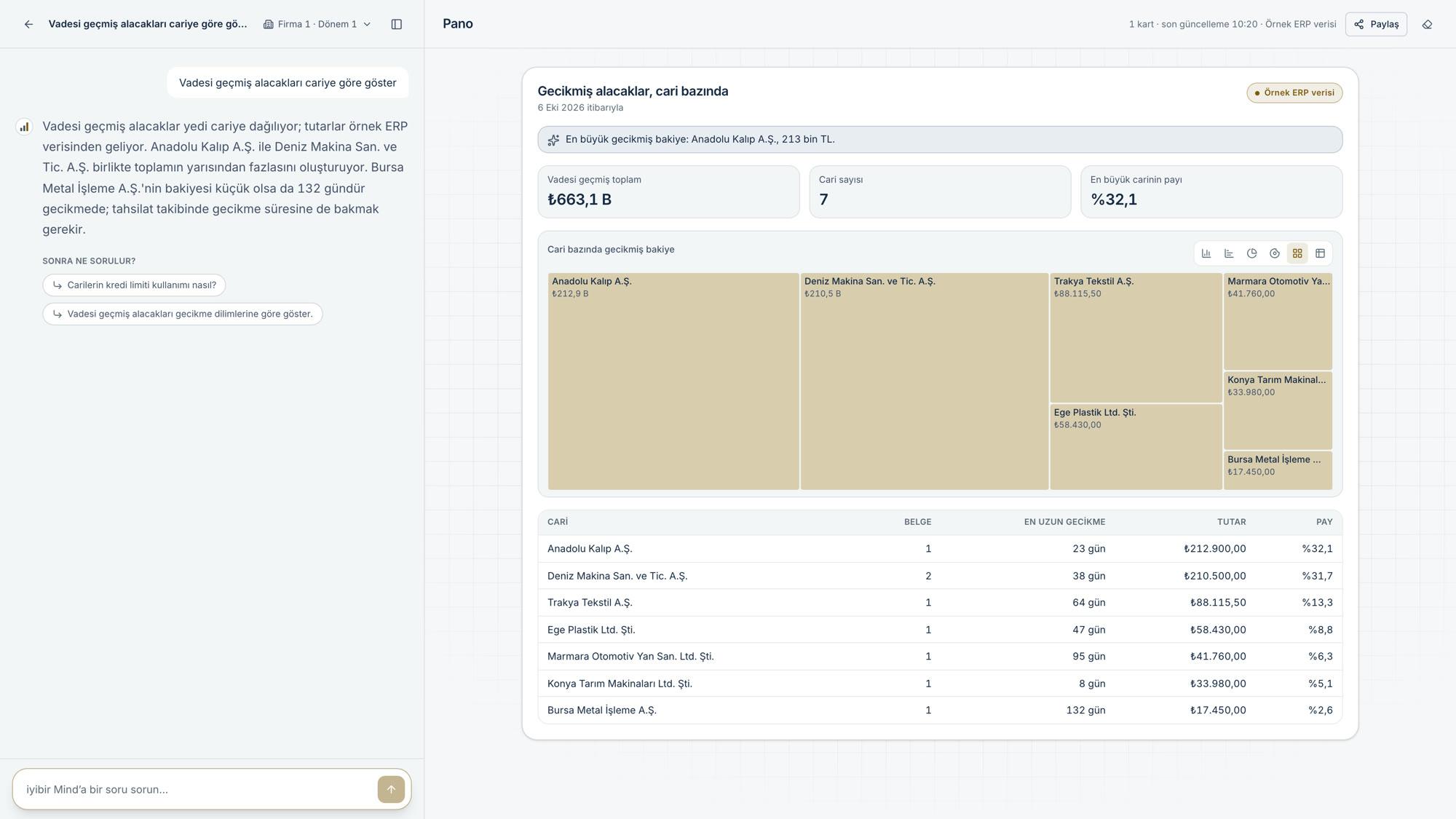
iyibir Mind is an analyst you question about your company's data. You type your question in everyday Turkish; Mind picks the right analysis, answers briefly in the conversation and draws key figure cards, charts and tables on the board.
No card details · your Logo license is not touched
Highlights
- AskType your question in everyday Turkish, for example “Vadesi geçmiş alacaklar kimlerde?” (Who has overdue receivables?). Say the period in your question: this month, last month, this quarter, this year, the last 12 months. If you don't, the analysis uses its default period.
- Mind picks the analysisMind answers with the one of its 22 ready-made analyses that fits your question; if none fits, it writes the query itself from the Logo schema. Or you type / and run one of 168 report commands across 16 business areas. Every figure on a card is the query result; the model that writes the answer does not produce numbers.
- It draws on the boardThe cards land on the conversation's board and are saved with the conversation. Follow-up questions appear under the answer; click one to ask it.
Frequently asked
Which data does Mind read?
Your company's real Logo data, read-only, through iyibir PaaS Agent installed on your server by the iyibir team. Your database stays on your server. After sign-in you confirm the company and period (and, if a payroll database is defined, optionally a payroll institution). The source on the cards reads “ERP data”.
What does “Sample ERP data” on a card mean?
“Sample ERP data” appears only in demo environments: the figures belong to a fictional company. In your company's account the source should read “ERP data”.
What are report commands?
Ready-made board reports in the menu that opens when you type / in the question box: 168 commands across 16 business areas (sales, collections and receivables, finance and accounting, cash and treasury, purchasing, stock, warehouse and logistics, production, planning, quality, fixed assets, foreign trade, projects, customers, e-documents, people and payroll). Each command runs fixed, measured queries; after the command you can type a period and a single filter.
How do I see where a figure comes from?
Click the card's source line or the “Nereden?” (Where from?) button. The panel shows the query name, the Logo tables read, the period, the filters, the data date and the verification status.
How do I redraw a card with current data, and ask from a card?
“Refresh” in the card's ⋯ menu re-runs the card's fixed query and redraws it with current data; it uses no credit. The card shows when it was last refreshed. The “Ask” icon next to a key figure or table row writes a question starting from that row into the question box.